Overview
A cozy 3D narrative game built in Unity over 12 weeks — a calm, story-driven experience focused on atmosphere and player comfort.
Technical Highlight
The problem: the game needed many different objects — NPCs, minigame zones, hold-to-use items — to be interactable in different ways (instant vs hold, looked-at vs walked-into), without a central manager hardcoding every type. My approach: I designed a small set of interaction interfaces (IInteractable, IInteractWithE, IInteractWithF, IZoneInteractable). A single InteractionManager raycasts each frame, resolves whatever interface the hit object implements, and dispatches on type — so a new interactable just implements the right interface and works, with zero changes to the manager. Result: a decoupled, extensible interaction system driving dialogue, minigame entry and hold-to-interact pickups, with a filling-ring hold UI and FMOD feedback.
Technologies
My Role
Sole programmer on a 2-person team — I wrote all of the game's code; my teammate handled level design and art in-engine. Beyond programming, I designed the three minigames and owned the audio and UI end-to-end. My systems: player physics, all modular game systems, the three minigames (design + implementation), full UI, audio (FMOD), camera work, and the cloud mount mechanic.
My Contributions
Core Player Systems
- Player movement — camera-relative directional control, sprint, rotation smoothing
- Physics — ground check via contact normal filtering, wall collision jump, physic material tuning
- Respawn system with safe tile validation
Modular Systems
- Dual interaction architecture — raycast and zone-based trigger interactions using interfaces
- Inventory and Progression system
- Quest system
- Experience system
- Dialogue system — intro sequence and mascot conversations
- Audio system
Cloud Mount System
- Built CloudMountController — full mount/dismount state managing player physics, gravity, input and interaction toggling
- IslandLandingTrigger for automatic dismount on island entry
- IslandLandingIndicator — pulsing emission effect showing landable islands
Minigames
- Designed and implemented three minigames: Musical Bridge, Wake Up, and Sticker
- Full minigame loop — tile spawning, falling physics, Space to lock, R to restart, per-row acceleration
- Procedural bridge path using two anchor transforms and linear interpolation
- Ghost tile preview showing landing position
- Bridge completion wave coroutine with punch-scale polish
- Integrated minigames with GameState and Cinemachine camera transitions
Cameras
- All Cinemachine cameras — player follow, mascot conversation transitions, minigame transitions
Mascots
- All mascot programming — behaviour, state, interaction — excluding art and animation
- Implemented art and animation integration for WakeUp mascot (scale, animation state changes)
UI & Menu
- Designed and implemented the full UI of the game
- Built the full main menu and pause menu, working correctly across scene transitions
Audio
- Sourced audio files, edited them, implemented in FMOD, and integrated into Unity
Polish & Bug Fixes
- Implemented art made by designer for Alina character with animation window setup
- Particle system on fence disappear
- Collider setup across the game
- Post audience-testing bug fixes
Code
Interface-Driven Interaction
View interaction system on GitHub →Objects opt into interaction styles by implementing an interface; one manager raycasts and dispatches on type, so a new interactable needs zero manager changes.
public interface IInteractable
{
    void Interact();
    string GetInteractionKey();
    string GetInteractionAction();
    bool isInteractable { get; }
    float InteractionRange { get; }
}

public interface IInteractWithF { void Interact(); }
public interface IZoneInteractable { void OnZoneEnter(); void OnZoneExit(); }

// In InteractionManager — a single raycast resolves whatever interface the object implements
var interactable = hit.collider.GetComponentInParent<IInteractable>();
if (interactable != null && interactable.isInteractable)
{
    currentInteractable = interactable;
    SetInteractionPrompt(interactable.GetInteractionKey(),
                         interactable.GetInteractionAction());
}
Bridge Minigame — Procedural Path & Juice
View BuildBridge on GitHub →Tiles fall along a lerped path between two anchors; the player locks each one, with a punch-scale pop and a completion wave for feel.
// Each row's resting spot is a lerp between two anchor transforms
private Vector3 GetRowLockPosition(int row)
{
    float t = (float)row / (totalRows - 1);
    return Vector3.Lerp(bridgeStart.position, bridgeEnd.position, t);
}

// Locking a tile: snap it, play SFX, pop it, advance to the next row
private void LockCurrentTile()
{
    isWaitingForInput = false;
    Destroy(ghostLeft);
    SnapTile(activeTileLeft, currentRow);
    placedTiles.Add(activeTileLeft);
    AudioManager.Instance.PlaySFX(AudioManager.Instance.Events.LockBridge, bridgeStart.position);
    StartCoroutine(PunchScale(activeTileLeft));
    currentRow++;
    SpawnNextPair();
}

// Juice — a quick scale punch that settles back
private IEnumerator PunchScale(GameObject tile)
{
    Vector3 original = tile.transform.localScale;
    tile.transform.localScale = original * 1.3f;
    yield return new WaitForSeconds(0.18f);
    tile.transform.localScale = original;
}
Screenshots
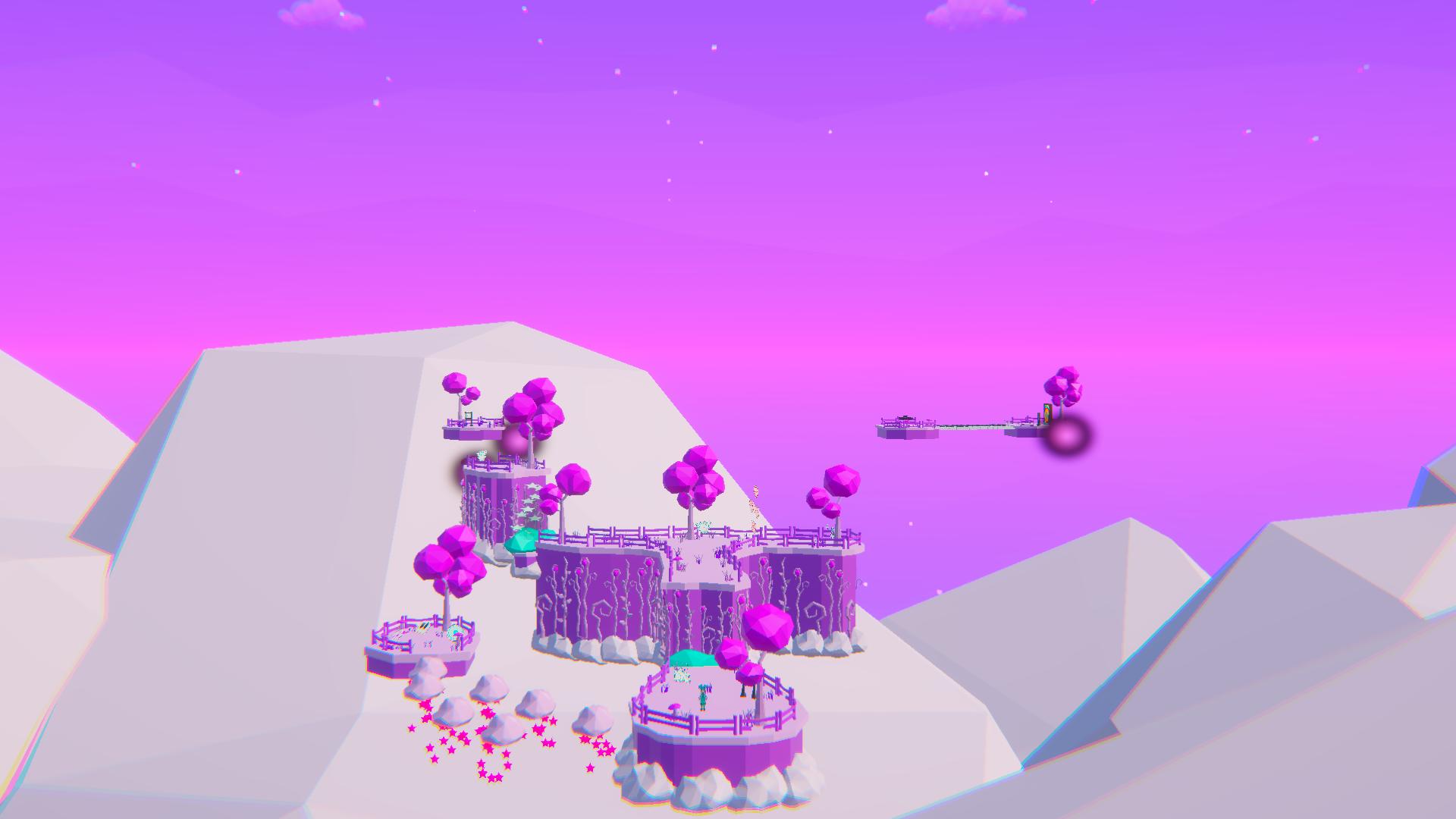
Scene environment and lighting
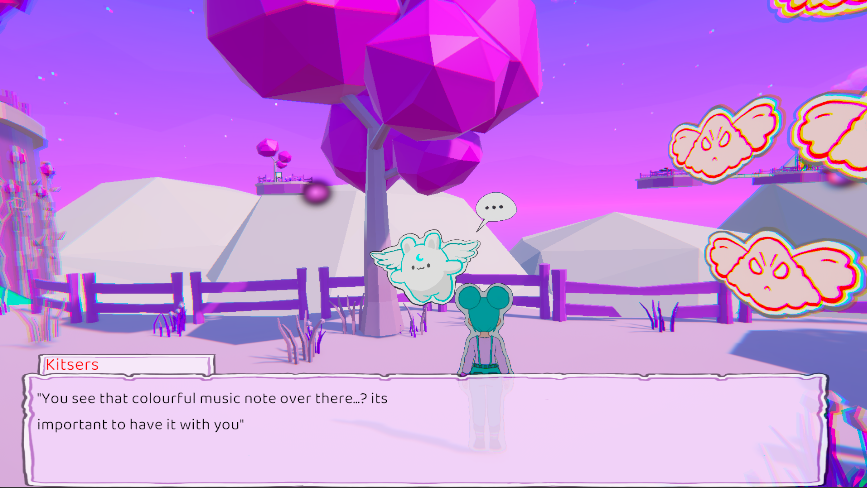
Dialogue interaction system